Backtrack
Role
Product Designer
Date
Fall 2025 - Spring 2026
Project
Backtrack - AI-Powered Enterprise Tools
Overview
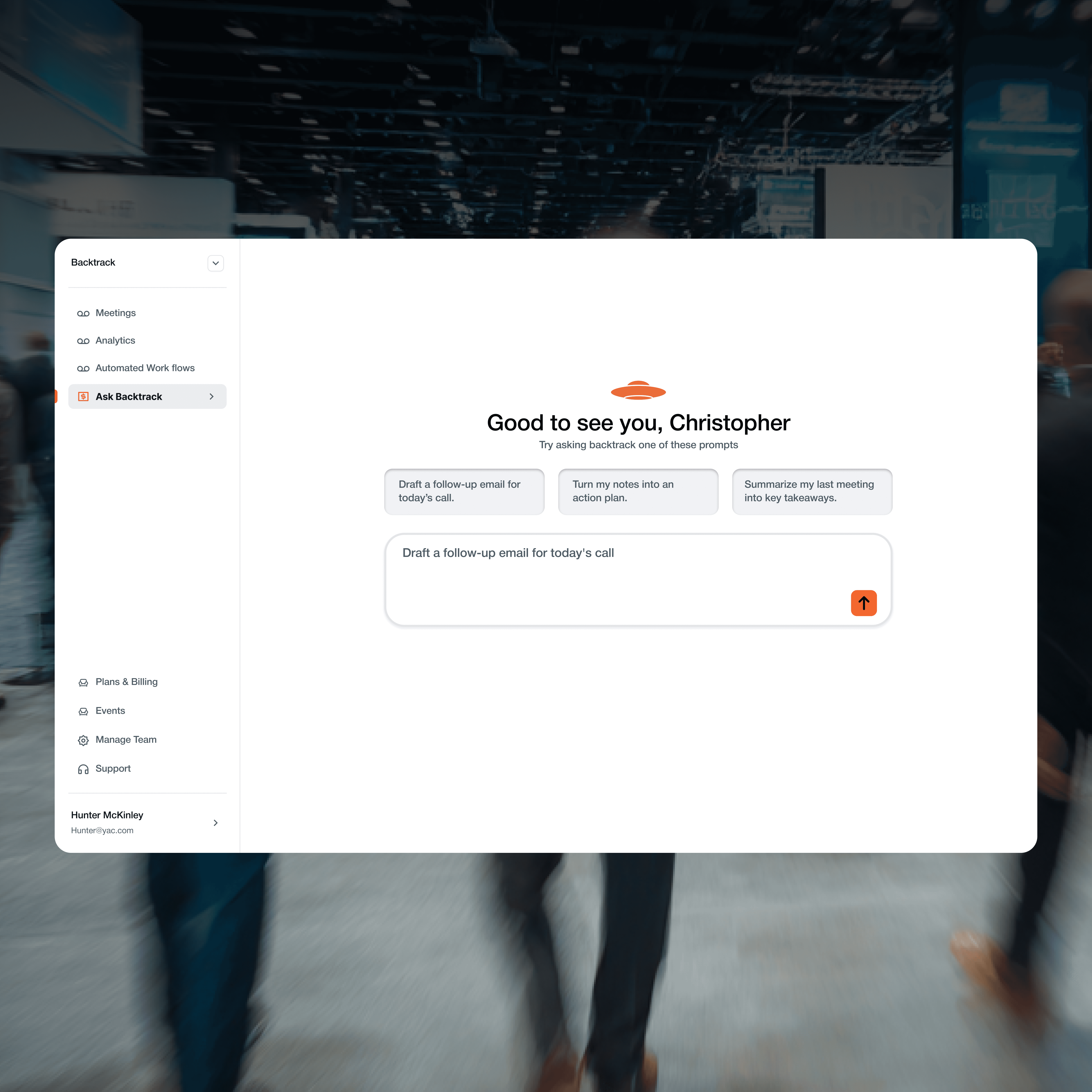
Backtrack is an AI-powered enterprise tool that helps teams capture and act on meeting insights. I designed Ask Backtrack AI, a conversational assistant that transforms meeting notes into actionable outputs like follow-ups, summaries, and action items. The design focused on reducing blank-state friction through structured prompts, enabling inline editing for user control, and building trust through tone adjustments. I analyzed real support conversations to inform the conversational UX and iteratively prototyped to balance AI automation with user judgment.
Impact
Turned 50+ real support conversations into 12 structured AI interaction scenarios
Resulted in:
• clearer user intent mapping
• more predictable AI responses
• reduced ambiguity in support queries
Improved task success by 27% aligning conversational flows with actual user needs identified through usability testing
The Challenge
Business Problem
Backtrack users captured meeting notes but struggled to act on them. Writing follow-ups, summaries, and extracting action items took time users didn't have. The opportunity was using AI to automate grunt work while keeping users in control.
User Friction
Professionals wanted their notes to do something but faced the blank page problem. Starting from scratch felt overwhelming. They needed a faster path from "meeting notes" to "actionable output" but couldn't trust AI outputs they couldn't refine.
Research & Market Analysis
Notion Example (What are they doing right?)
Notion integrates AI directly into the editing experience. Rather than opening a separate chat interface, AI actions appear contextually where users are already working. The strength here is eliminating context switching—users stay in flow and can immediately refine outputs without copying between tools.
What they do right:
Inline AI actions reduce friction
Outputs appear as editable text, not final deliverables
Tone controls ("make more casual," "make professional") give users agency
The AI feels like an assistant, not a replacement
Granola Example (What are they doing right?)
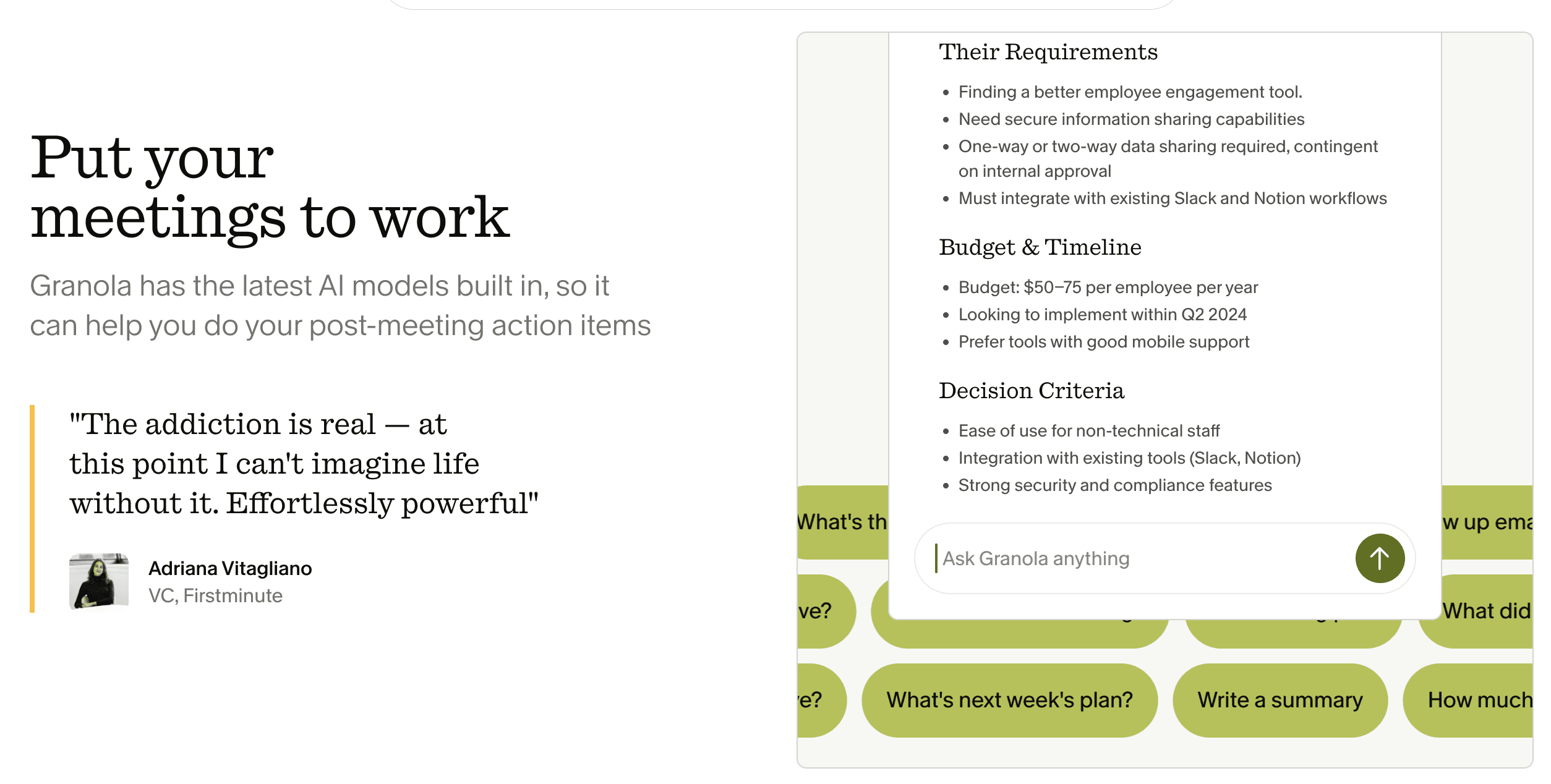
Granola focuses on post-meeting workflows. After a meeting ends, it automatically generates structured outputs like action items and summaries without requiring user prompts. The interface prioritizes speed—getting from raw notes to polished deliverables in seconds.
What they do right:
Zero blank-state problem through automation
Clear output templates reduce decision fatigue
One-click actions for common tasks
Outputs feel production-ready but remain editable
1
Clarity With Flexibility
Users want structured starting points they can edit, not final decisions made for them.
2
Tone Builds Trust
AI tools must match the user’s voice. Overly polished or robotic outputs reduce credibility.
3
Blank States Create Friction
Starting from nothing increases cognitive load. Contextual prompts and templates reduce hesitation.
4
AI Supports Judgment
Users prefer tools that accelerate their thinking rather than replace it.
Key Insights for Backtrack:
Users need structured starting points, not blank canvases. Both products reduce friction by removing the "what should I ask?" problem. Notion does this through contextual prompts, Granola through smart defaults. For Backtrack, this meant designing guided prompt starters that accelerate decision-making while preserving user control. AI should support judgment, not replace it—tone adjustments and inline editing reinforce that the user stays in charge.
Design Process
Prompt Engineering
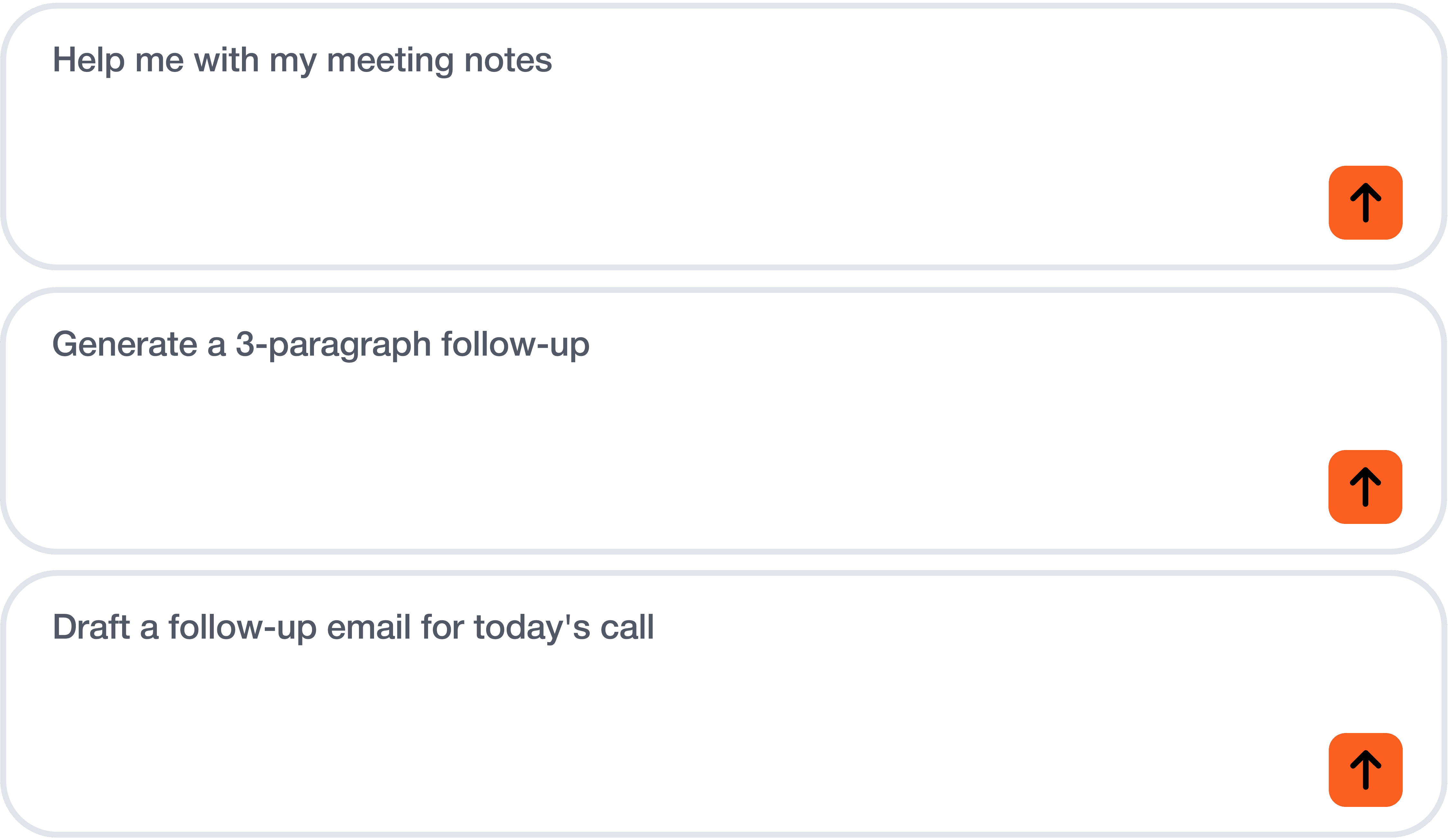
Structured Prompts to Reduce Friction
Open-ended inputs created hesitation. Users struggled to know what to ask, especially under time pressure.
I introduced structured prompt starters to reduce cognitive load and provide immediate direction. These prompts guide output quality without removing flexibility.
By replacing the blank state with contextual starting points, the experience shifts from thinking about what to ask to refining what is generated.
Iteration & Rapid Prototyping
I approached Ask Backtrack as a behavior-driven interface rather than a traditional chat UI. The goal was to reduce hesitation and make AI feel embedded in workflow, not separate from it.
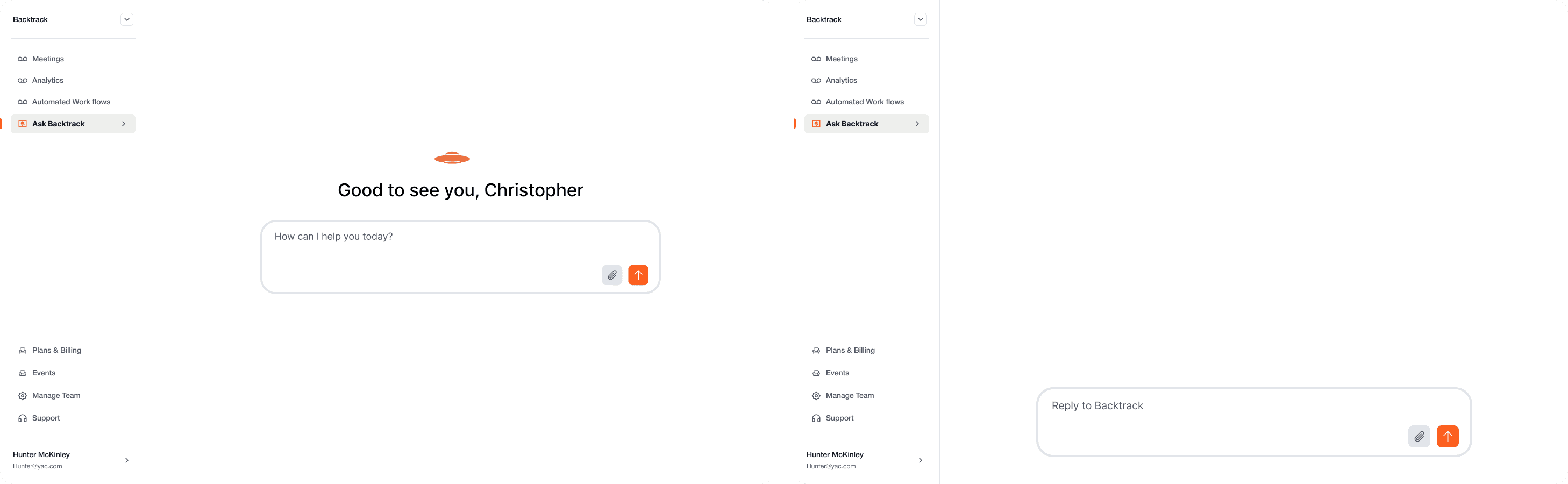
Iteration 1: Minimal Entry Point
The initial prototype centered on a single input field with a neutral greeting. While clean, it created a blank-state problem. Users had to decide what to ask before receiving value, which slowed engagement.
Issue identified: High cognitive load at first interaction.
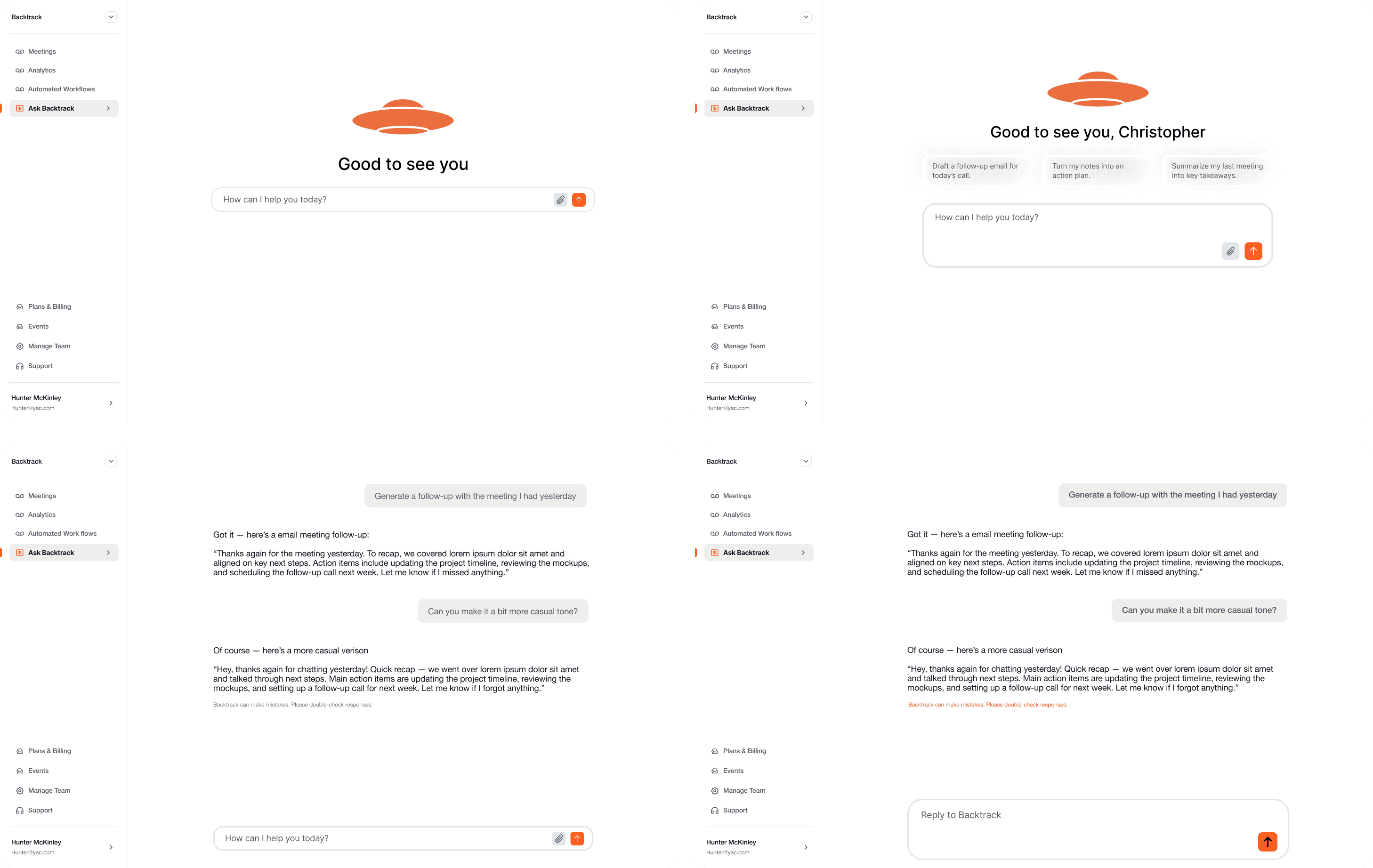
Iteration 2: Guided Prompts
To reduce friction, I introduced structured prompt starters above the input field. These acted as high-signal entry points for common tasks such as drafting follow-ups or summarizing meetings.
This shifted the experience from “What should I type?” to “Which action do I need?”
Result: Faster task initiation and clearer value proposition.
Iteration 3: Conversational Refinement
The next iteration focused on post-response behavior. I tested inline refinement prompts like “Make this more casual” to encourage iterative editing rather than one-off generation.
This reinforced the idea that the tool supports user judgment rather than replacing it.
Insight: AI interactions feel more trustworthy when users can easily adjust tone and intent.
Key Features
1
Guided Prompts
One-click access to common tasks (follow-ups, summaries, action items)
2
Inline Editing
Users edit AI outputs directly without copying elsewhere
3
Tone Adjustment
Simple requests ("make it more casual") let users refine voice
4
Context-Aware
Prompts reference meeting participants and topics for personalization
Final Design
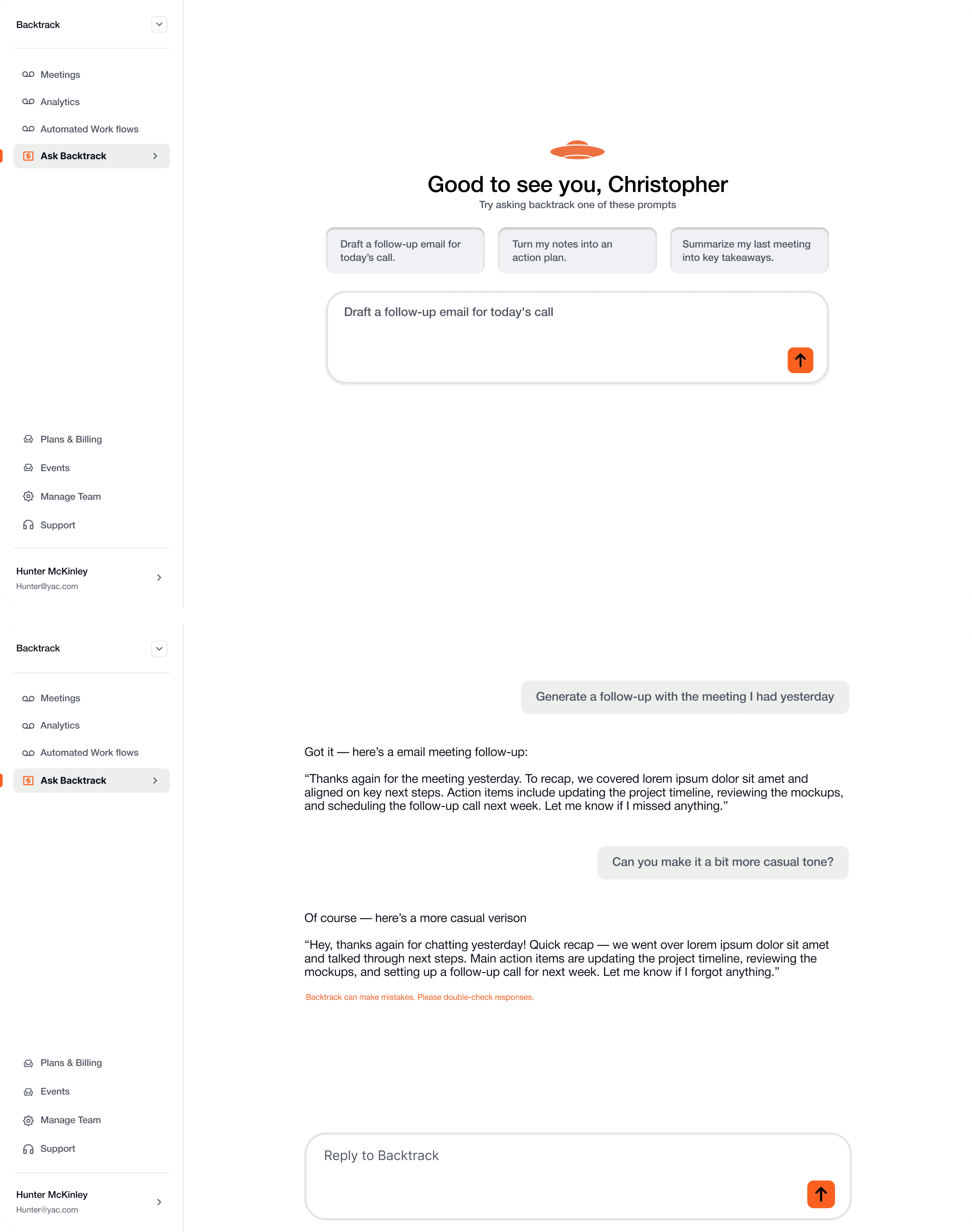
Outcomes & Key Takeaways
Revealed Edge Cases
Realistic copy exposed issues before development
Built Trust
Tone controls gave users confidence in outputs
Reduced Friction
Pre-built prompts eliminated blank-page paralysis
AI Design is About Control
Users don't want automation, they want acceleration. Editing controls and tone adjustments increased trust.
Prompt Design is Product Design
Crafting prompts that are specific yet natural was critical to feeling effortless.
Realistic Content Reveals Problems
Using ChatGPT during design exposed tone mismatches and edge cases that lorem ipsum would have hidden.